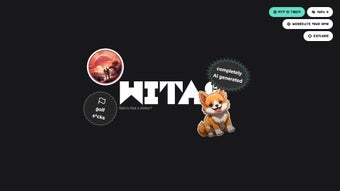

Download Wait is that a sticker – AI‑Powered Sticker Creator, Free & Secure Design Tool
Overview
Wait is that a sticker? is a cutting‑edge, browser‑based application that brings artificial‑intelligence design assistance to anyone who wants to create high‑quality stickers without the steep learning curve of traditional graphic suites. The service targets three primary audiences: small‑business owners who need on‑demand branding material, independent artists looking to monetize illustrations quickly, and hobbyists who simply enjoy personalizing everyday objects. By uploading a source image—whether a hand‑drawn sketch, a digital illustration, or a photograph—the AI engine instantly analyses the composition, upscales the resolution, applies smart cropping, and adds the appropriate bleed area for professional printing.
All processing happens on secure cloud servers, meaning the user’s device only needs a modern web browser; there is no heavy software download, no GPU requirement, and no operating‑system limitation. The platform offers a generous free tier that allows unlimited sticker generation with a subtle watermark, while paid plans unlock watermark‑free high‑resolution exports, batch processing, and priority rendering. In short, Wait is that a sticker? removes the technical barriers of traditional design tools and replaces them with an intuitive, AI‑driven workflow that feels both powerful and approachable, making it possible to go from idea to print‑ready file in under a minute.
Key Features & Benefits
- AI‑Driven Upscaling: Automatically increases image resolution up to 8× without losing detail, perfect for crisp stickers.
- Smart Cropping & Framing: The algorithm detects the main subject and applies optimal borders and bleed areas for printing.
- One‑Click Export: Download PNG, SVG, or PDF files instantly, ready for print‑on‑demand services.
- Cross‑Platform Access: Works on Windows, macOS, Android, and iOS through any modern browser.
- Template Library: Pre‑made shapes (circles, die‑cut outlines, badges) accelerate the design process.
- Brand Kit Integration: Save color palettes, fonts, and logos for consistent branding across multiple sticker batches.
- Secure Cloud Storage: All projects are encrypted at rest and in transit, complying with GDPR standards.
- Free Tier & Affordable Premium: Unlimited basic designs with watermarks; premium removes limits and adds batch export.
- Instant Preview: Visualize how stickers will look on real‑world objects with AR‑enabled mockups.
- Continuous Updates: New AI models and design assets are pushed automatically, keeping the tool fresh.
Each of these capabilities is designed to streamline a specific pain point in the sticker‑creation pipeline. Traditional workflows often require separate programs for upscaling, masking, and export, which can lead to version‑control headaches and inconsistent results. By consolidating every step into a single, AI‑enhanced interface, Wait is that a sticker? eliminates the need for expensive licences and reduces the time spent on repetitive tasks.
For example, the smart cropping feature automatically removes excess whitespace, ensuring that every export includes the precise bleed required by most commercial printers. Meanwhile, the brand‑kit integration guarantees colour consistency across large orders, a critical factor for businesses seeking a cohesive visual identity. The free tier is generous enough for occasional users, while the premium subscription—priced competitively—offers professional‑grade assets that meet the exacting standards of large‑scale merchandise production.
Overall, the feature set not only accelerates creation but also raises the baseline quality of the output, making it an attractive option for both novices and seasoned designers.
Installation, Usage & Compatibility
Because Wait is that a sticker? is entirely cloud‑based, there is no traditional installation process. Users simply visit the official website on any device with an internet connection, create a free account, and are presented with a clean, dashboard‑style interface. The only system requirement is a modern browser—Chrome, Firefox, Safari, or Edge—supporting HTML5 and WebGL, which virtually all devices released in the past five years satisfy. This makes the tool ideal for low‑spec laptops, tablets, and even smartphones.
Step‑by‑Step Usage Guide
- Upload Your Image: Drag‑and‑drop a PNG, JPG, or SVG file into the upload area. The AI instantly analyses the content, detecting edges, colours, and subject focus.
- Select a Template: Choose from circles, squares, custom die‑cut shapes, or let the AI suggest the most suitable outline based on the image composition.
- Adjust Settings: Fine‑tune border thickness, bleed margins, background colour, or add a subtle drop shadow. All adjustments are reflected in real time.
- Preview & Edit: Use the live preview window to rotate, mirror, or add text overlays. The AI offers smart text placement suggestions to avoid obscuring key visual elements.
- Export: Click “Download” to receive a high‑resolution PNG (free tier) or a print‑ready PDF (premium). Files are saved locally and optionally synced to the secure cloud for future edits.
The application runs on Web (compatible with Windows 10/11, macOS Ventura and later, Android 12+, and iOS 15+). Because all heavy processing occurs on remote servers, performance is dictated primarily by internet speed rather than local CPU or GPU power, ensuring consistent results even on older hardware.
Why a Browser‑First Approach Matters
A browser‑first architecture eliminates the friction of downloading, installing, and maintaining software updates. Users always work with the latest AI model, as updates are deployed server‑side without any user action required. Additionally, the cloud environment provides a built‑in backup system: every project is automatically saved to the user’s account, reducing the risk of data loss due to hardware failure. For teams, this also enables collaborative workflows—multiple users can share a brand kit or a design folder, ensuring that everyone adheres to the same visual standards. The combination of universal accessibility, zero‑install convenience, and robust cloud storage makes the tool uniquely positioned for both individual creators and small enterprises looking to scale their sticker production quickly.
Pros and Cons
Pros
- Fast, AI‑powered results reduce design time dramatically.
- No software installation; works on any device with a browser.
- High‑resolution outputs suitable for commercial printing.
- Secure cloud storage and GDPR compliance.
- Generous free tier for hobbyists and small projects.
- Extensive template library accelerates creative workflow.
- Continuous feature updates keep the tool modern.
Cons
- Advanced features (batch export, watermark removal) require a paid subscription.
- Reliant on internet connectivity; offline work is not possible.
- AI may occasionally misinterpret complex images, requiring manual tweaking.
- Large file uploads can be slower on low‑bandwidth connections.
- Limited advanced typography controls compared to full‑featured desktop suites.
Frequently Asked Questions
Is the tool really free to use?
Yes, a free tier is available that lets you generate unlimited stickers with a small watermark. Premium plans remove the watermark and add batch processing.
Can I use the stickers for commercial purposes?
Absolutely. Once you download a watermark‑free file (available in the paid plan), you have full commercial rights to print and sell the stickers.
What file formats are supported for export?
Exports are available as PNG, SVG, and PDF. PNG is default for the free tier; premium users can download high‑resolution PDFs ready for professional printers.
How secure is my uploaded artwork?
All uploads are encrypted in transit (HTTPS) and at rest. The platform adheres to GDPR standards, and you can permanently delete projects from your account dashboard.
Do I need any design experience to use the tool?
No design background is required. The AI handles upscaling, cropping, and framing automatically, and the interface offers intuitive drag‑and‑drop controls.
Conclusion – Should You Download Wait is that a sticker?
In summary, Wait is that a sticker? delivers a seamless, AI‑enhanced sticker creation experience that bridges the gap between casual creativity and professional production. Its browser‑based nature ensures that you can work from any device, while the robust feature set—ranging from smart upscaling to secure cloud storage—makes it a viable solution for both personal projects and commercial merchandise lines. The generous free tier allows hobbyists to experiment without financial commitment, and the reasonably priced premium upgrade unlocks everything a growing business needs for high‑volume, watermark‑free output. If you’re looking to speed up your sticker workflow, reduce reliance on heavyweight graphic suites, and keep costs low, this tool is definitely worth a try. Download the free version today and start turning your ideas into high‑impact stickers in minutes.



.png)



